 Shipping on Windows & macOS
 Voice input for developers.
Hold a key, speak, and point at what you mean. Clean, punctuated text and screenshots land at your cursor together — in a terminal, Cursor, Claude Code, Slack or Jira. Speech recognition runs entirely on-device, so audio never leaves the machine.
- of audio uploaded — recognition is fully on-device
- 0 bytes
- modes under a single shortcut on Windows
- 8
- platforms — Windows, macOS and Android — on one Rust engine
- 3
- commits landed in four weeks of AI-first delivery
- 1,400+
New in 1.3 October 2026
A mic for any web app, in three lines.
Deixis partners put voice input into their own products without building any of it: one script and one element, and the text field they choose gets a mic. Users with Deixis running dictate on their own computer, so their audio never leaves it; everyone else, phones included, dictates through the Deixis cloud, which says so beside the mic on every take.
Also new in 1.3: element pick on macOS — point at any UI element on the Mac, as on Windows, and it lands in your note as a reference.
<script src="https://deixis-voice.com/sdk.js" data-key="pk_live_…" async></script>
<textarea id="reply"></textarea>
<deixis-mic for="reply"></deixis-mic>
The story
The challenge
Developers increasingly work by talking to AI coding agents — but typing long, precise instructions is slow, and cloud dictation means streaming your voice to someone else’s servers. For privacy-conscious teams in law, healthcare and finance, that’s a non-starter.
What we built
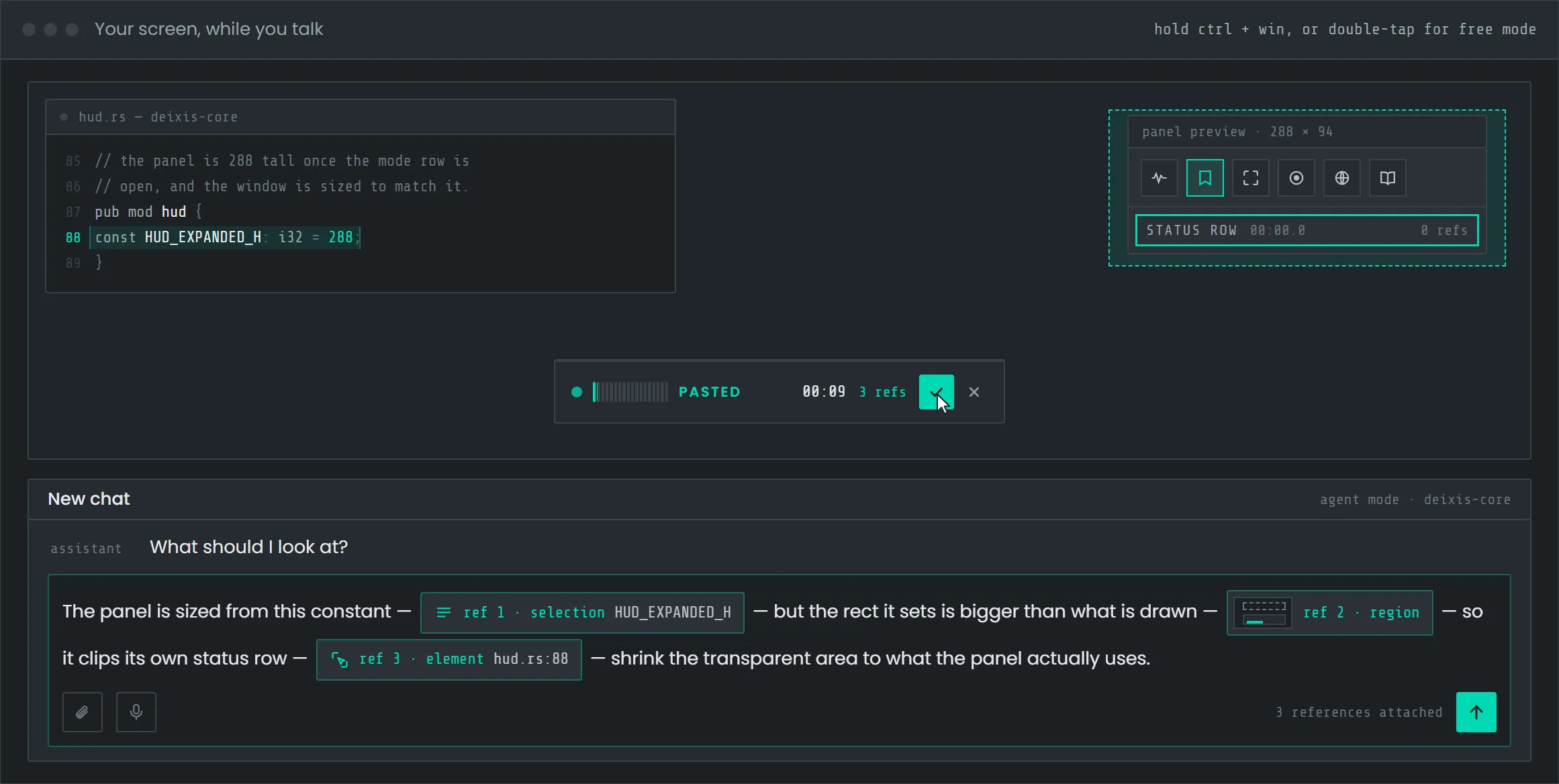
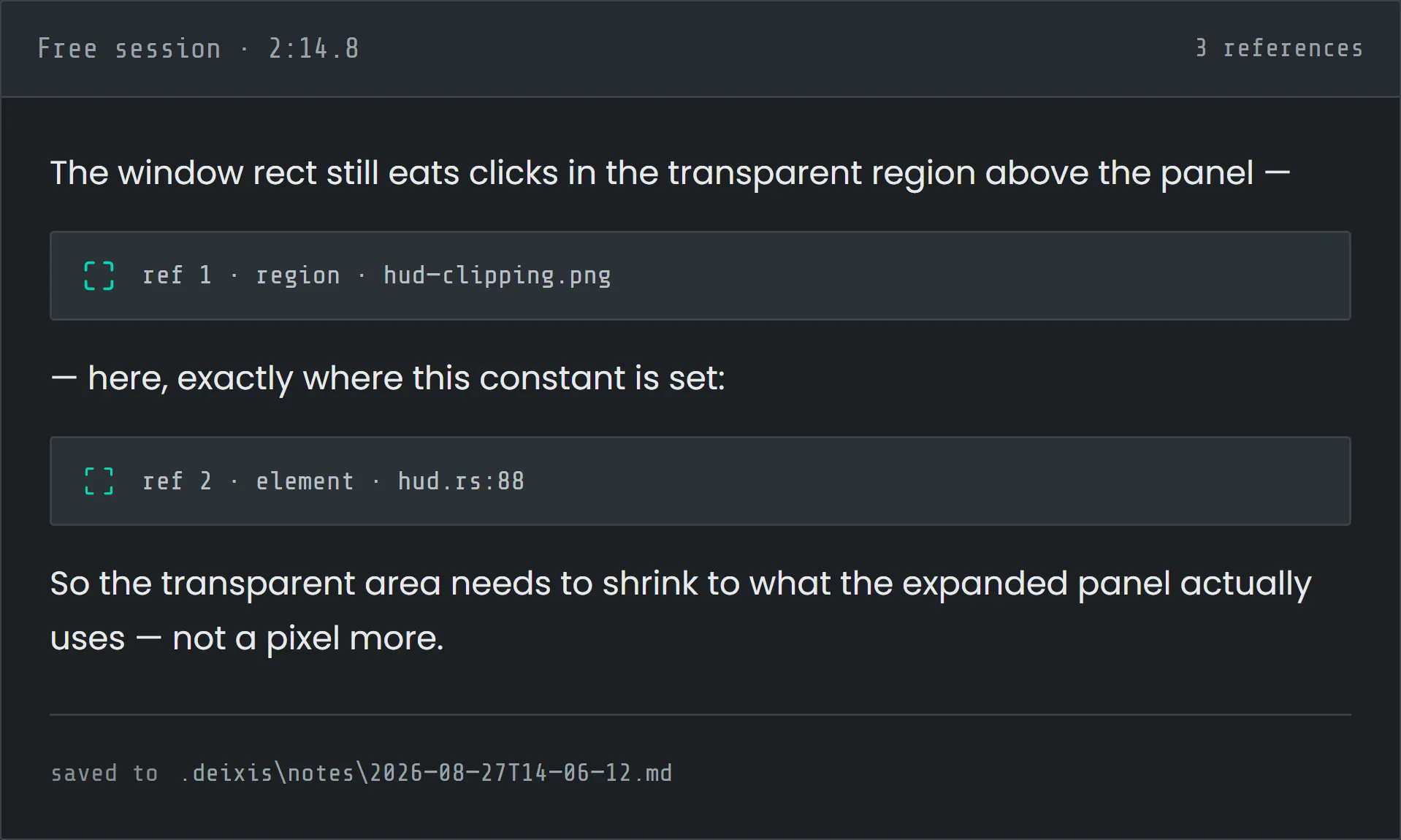
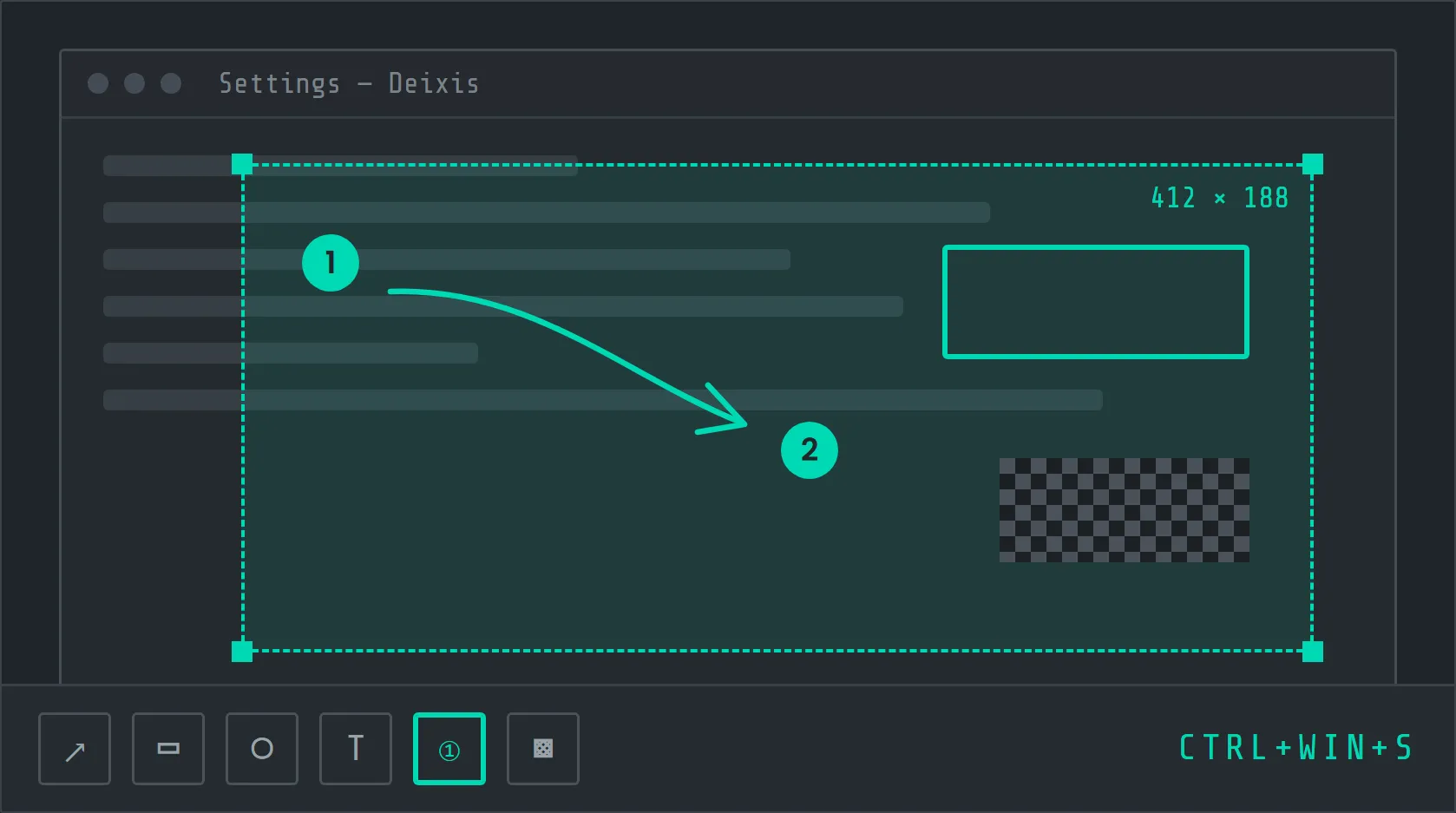
Deixis is our in-house answer: a Rust engine that captures, transcribes and cleans speech on the device, then inserts it wherever the caret is. Its signature Free mode lets you narrate while grabbing screen regions, text or UI elements — the result is a single markdown note an agent can read, with your words and references in order.
- 01
Hold
Hold the shortcut in any app — a terminal, an editor, a chat box or a ticket.
- 02
Speak & point
Talk naturally. Grab screen regions, text or UI elements as you go.
- 03
Release
Clean, formatted text and your references land at the caret — transcribed on-device.
Capabilities
What makes Deixis different.
-
Audio never leaves the machine
Recognition runs inside the app. No account, no telemetry — and every byte that does leave is documented in one public table.
-
Free mode
Narrate while you grab regions, text or UI elements. Words and references land together as markdown an agent can read.
-
Field-aware cleanup
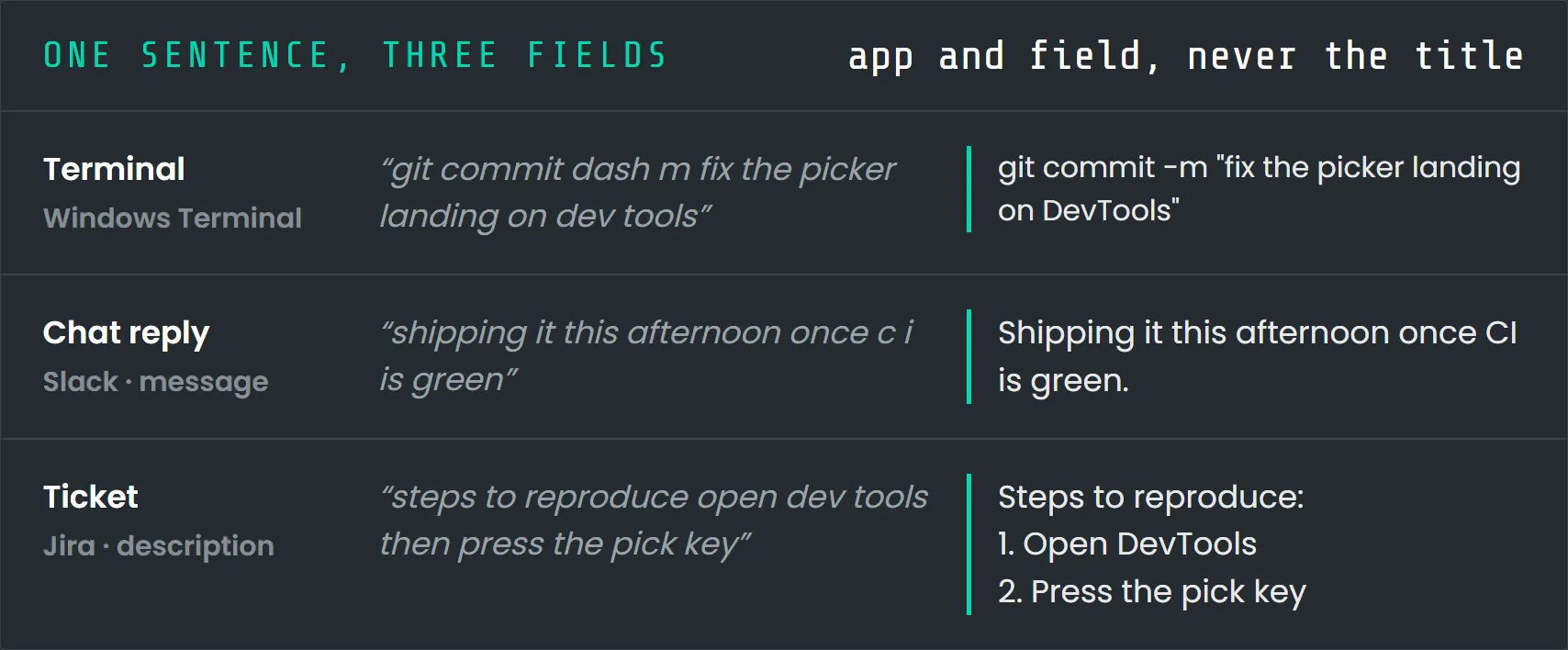
A commit message, a chat reply and a ticket are each formatted differently — based on the app and field, never the window title.
-
Meetings, no bot
Microphone and system audio are recorded and transcribed locally. Nobody has to admit a bot to the call.
-
Everything is a plain file
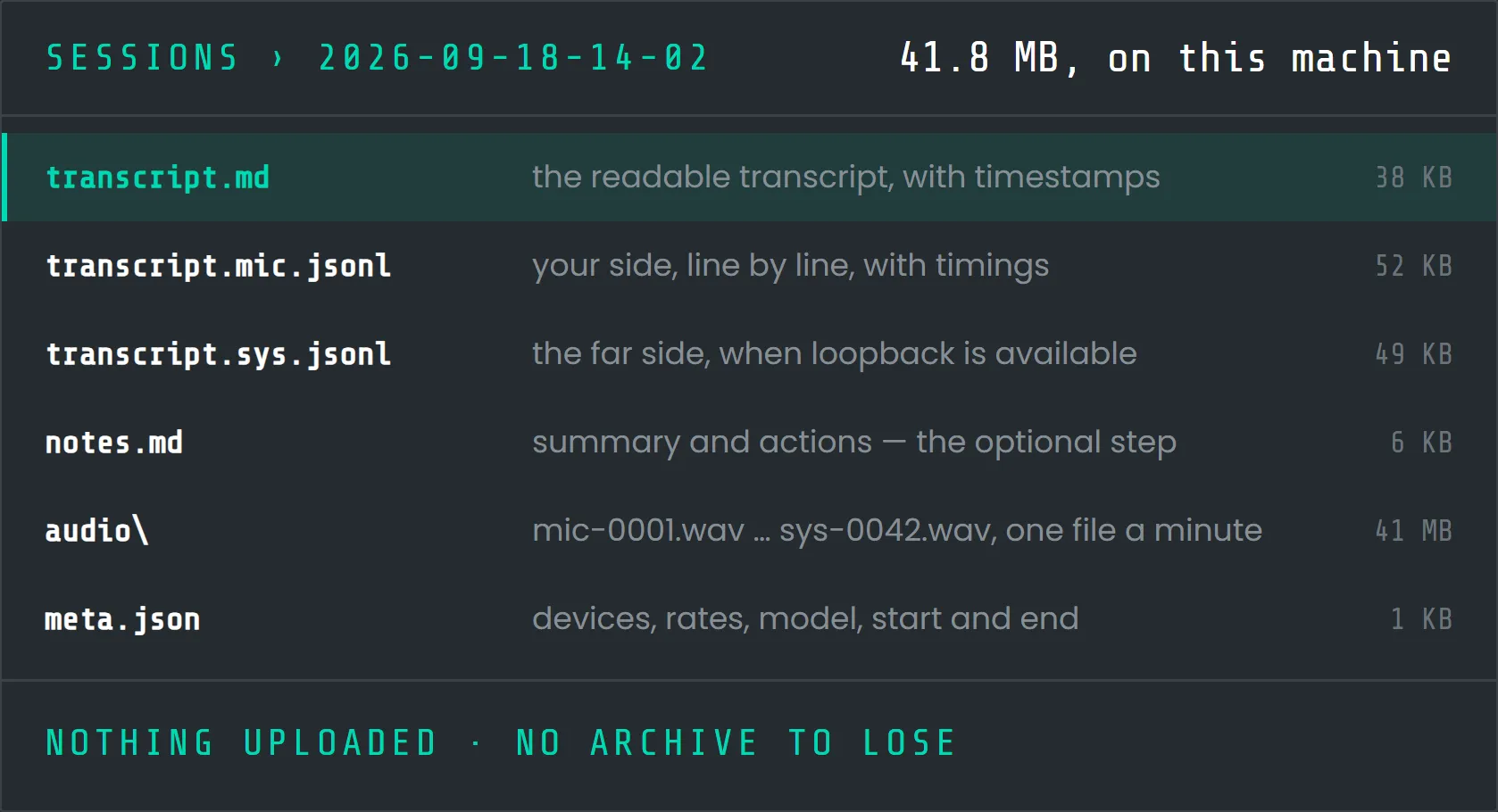
Settings, notes and transcripts live as TOML, markdown and JSONL in one folder you can read, grep and back up.
-
Extensible by design
Custom script buttons, webhooks and vocabulary packs for specialist fields such as medicine and law.
Inside the product
Designed for people who ship.
Engineering
Under the hood.
Built in-house, AI-first. Our engineers owned the architecture, the quality bar and every release, while AI agents accelerated implementation, testing and refactoring across the Rust core, the desktop apps and the Android build.
-
Rust core for hotkeys, audio capture, speech recognition and text insertion, wrapped in a lightweight Tauri desktop app.
-
whisper.cpp runs in-process — on the CPU on Windows and the Metal GPU on Apple silicon — with Silero voice-activity detection.
-
One engine, many hosts: the same Rust core powers the desktop apps and the Android build.
-
Speech models are a one-time download, size- and SHA-256-verified before first use.
-
Cloudflare Workers and Neon Postgres run the website and the optional cloud features; cloud cleanup is routed only to zero-data-retention endpoints.
-
EV code-signed on Windows; signed and notarised on macOS.
Have a product like this in mind?
We’ll bring the same AI-first process and senior engineering to your idea.